
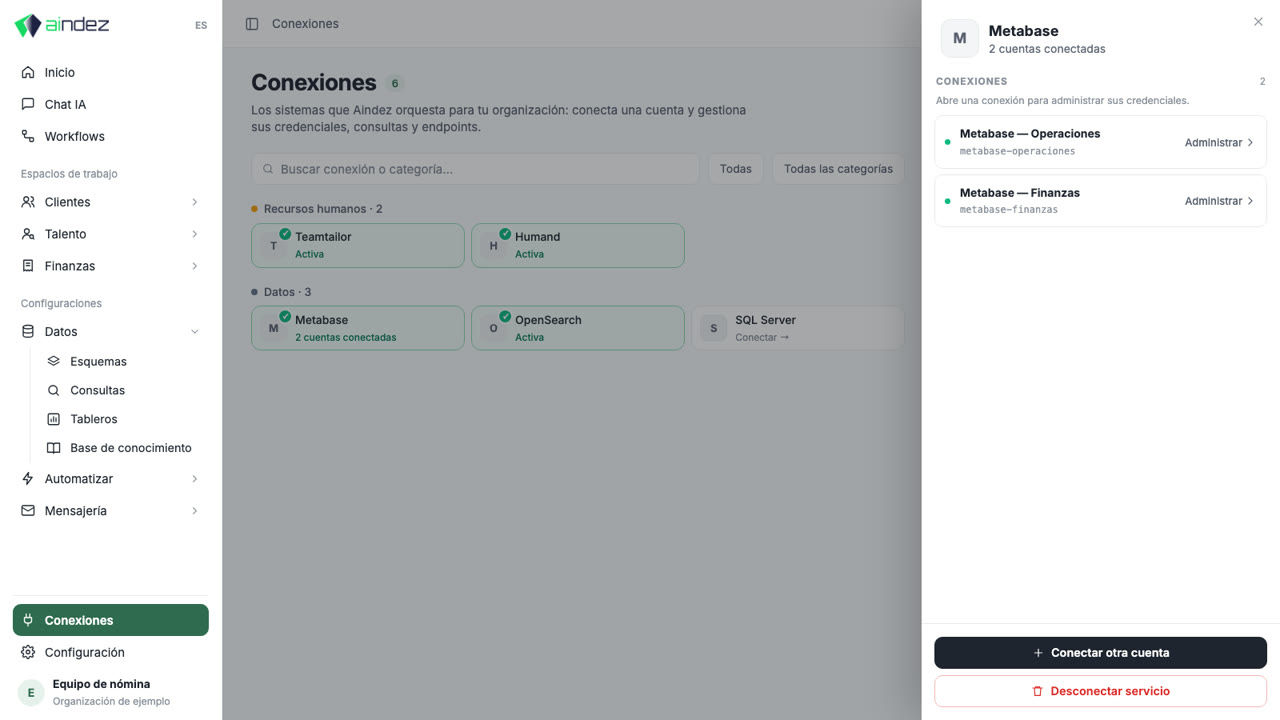
Until now, each system could be connected only once per organization. But many organizations have more than one account in the same system: one per country, per company or per client. Now each of them can be its own connection in Aindez.
As of this date, Aindez has 7 connectors.
Here's how it works, step by step.
1 · Add another connection in three steps
In Connections you pick the system and add a new connection in three steps: Identify, Connect and Verify. You give it a display name, such as "Metabase — Mexico", enter its credentials and test the connection before saving it. In this release it works with Metabase, Si Nube and OpenSearch.
2 · Each connection with its own credentials
Each connection's credentials are stored separately and shown masked. You can pause a connection and resume it later without touching the others.
3 · Its own queries and indices
The queries, indices and endpoints you save belong to one connection. Two connections to the same system can each have a query with the same name without mixing them up.
4 · You choose the connection when importing data
When you create a schema from a system with several connections, you choose which one to pull the data from. That way you always know which account each table comes from.
5 · Deleting a connection asks you to confirm it
To delete a connection you have to type its identifier. Its saved queries and indices are deleted with it, and the other connections to the same system stay as they are.
How we do it
- One connection per account, with its own name.
- Each one with its own credentials, never mixed.
- You choose which one to use when importing data.
- Pausing or deleting one doesn't touch the others.
In technical terms
- Each connection is stored with a display name and an identifier that is unique within the same system.
- Each connection's credentials are stored encrypted and separately; on screen they appear masked.
- Queries, indices and endpoints belong to one connection, so two connections can use the same names.
- Every import states which connection to pull data from; if it doesn't, it uses the default connection.
- Deleting a connection cascades to its queries and indices, and requires typing its identifier to confirm.
This is what makes it possible today, for example, to have one Talana connection per company, each reading and writing only in its own.