
Many teams keep their people data in SAP SuccessFactors and have to cross-check it by hand against what happens in recruiting. Now you connect it to Aindez and work on top of it, without switching systems.
As of this date, Aindez has 24 connectors.
New1 · Connect your environment
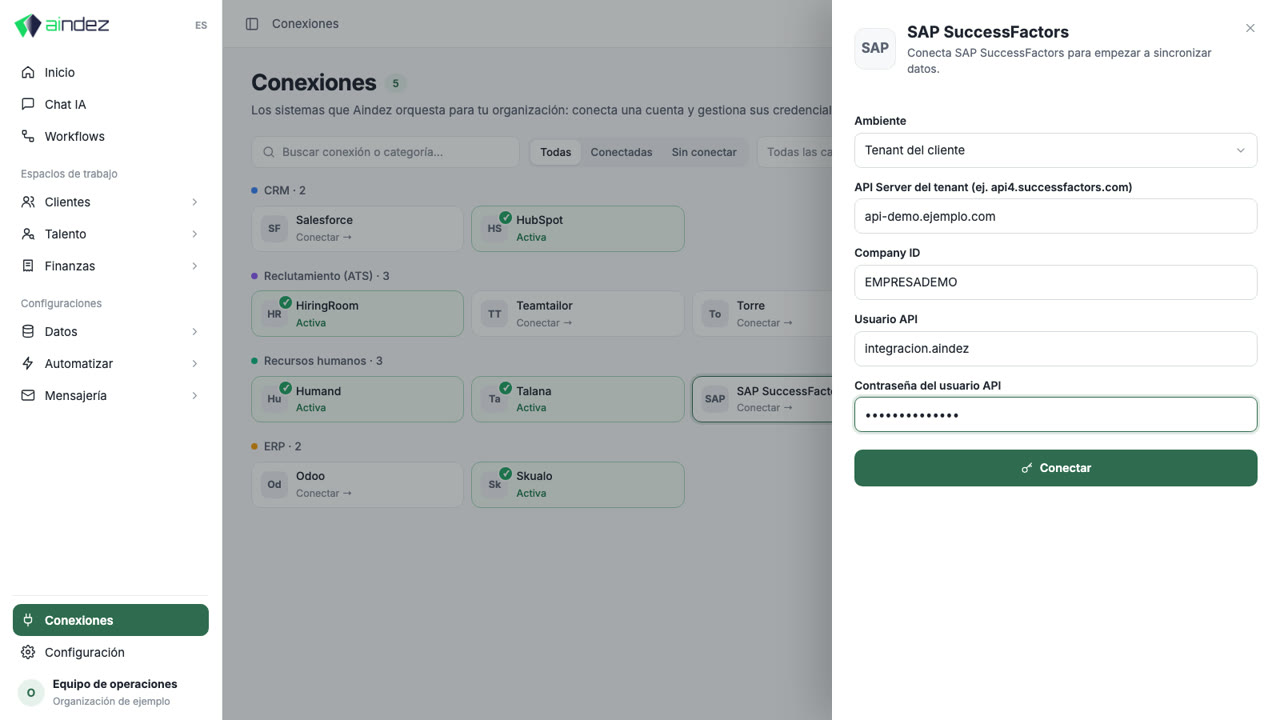
SAP SuccessFactors appears in the connector catalog. When you connect it you choose the environment: for testing, an access key is enough; for your company's, you enter the server, company ID, username and password. Each field only shows when it applies. If something is missing, Aindez tells you what instead of sending the request to another address.
New2 · Query your data from Aindez
Aindez pulls information on people, employments, compensation, companies, departments and locations, requisitions, candidates and applications, and time accounts and types. That's 18 read queries your workflows can use as a source.
New3 · Create and update users from a workflow
Five actions let a workflow create and update users in SAP SuccessFactors and read back the result. Because each company has its own fields and modules, the workflow can list what's available and describe its fields before you map the data.
How we do it
- Each environment with its own access: test or your company's, never mixed.
- If something's missing, we don't connect, and we never send your request to another server.
- Nothing is written without approval: creating or updating users goes through a person.
- We adapt to your SuccessFactors: first we look at the fields it has.
In technical terms
- We connect to the SAP SuccessFactors OData API: in sandbox with a key, and in your company with a username and password.
- If the configuration is incomplete, the request is rejected before it goes out.
- Creating and updating users are high-risk actions, so they require approval before writing.
- We discover the entities and fields in your instance, because every company has its own.
SuccessFactors stays your system of record, and Aindez works between it and the rest of your tools.